
Password protect my mobile camera to prevent strangers from viewing it
-
I am using IP Phone Camera to monitor my office connected on a Wi-Fi network. I want to prevent unintended people from viewing the camera. Is there any setting to do this?
-
IP Phone Camera allows you to set a password to prevent anyone from viewing your phone’s camera. Password protection is a premium feature.
To set a password, first purchase the premium version from Settings >> Upgrade. Once you have activated the premium version, open IP Phone Camera and go to Settings. Select the ‘Require password for viewing camera’ option and press back on the mobile screen.
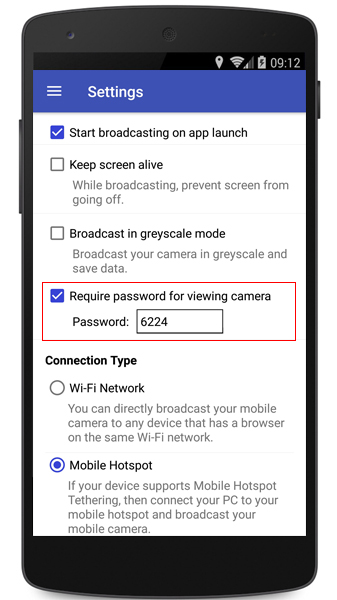
Press ‘Start Broadcasting’ and the URL, Username and password will be displayed on your main screen.
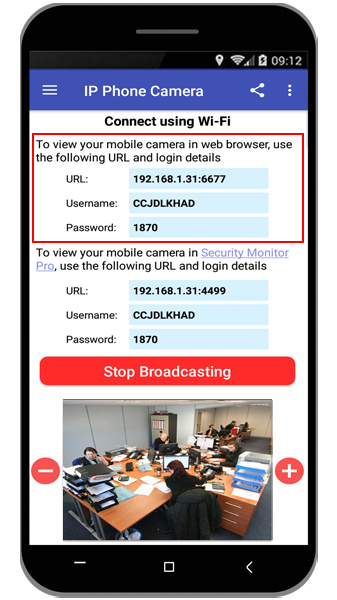
Next, open your browser, enter the URL from the app. Enter the username and password to view your mobile camera. No one can view your camera without the username and password.
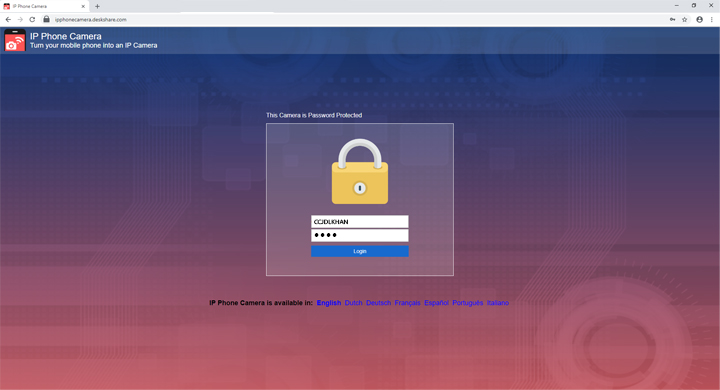
Note: If you use the ‘Mobile Data’ connection type, you will always require the username and password to view your mobile camera.