
Sorting connection profiles in alphabetical order
-
I have created many profiles and schedules in Auto FTP Manager. It becomes difficult to search for a particular profile in the list. Is there any way to sort profiles?
I appreciate your help.
-
You can sort the connection profiles and schedules in alphabetical order in Auto FTP Manager.
Go to the Connection Profile panel shown at the left sidebar in Auto FTP Manager. Right click on Quick Connect, Automated Transfer profile or the Schedules section and select the option for Sort by Name.
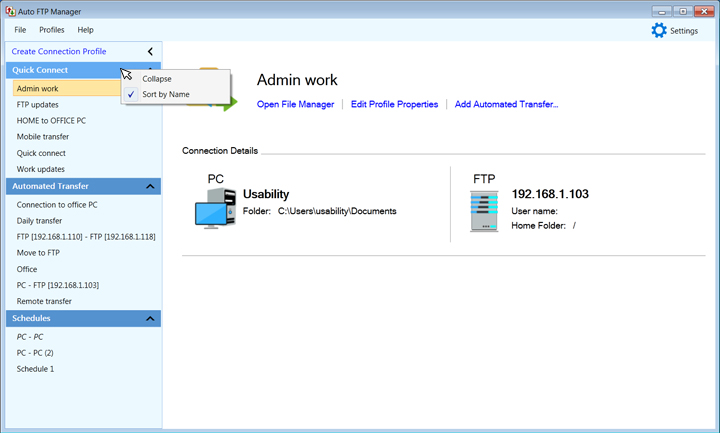
All the profiles and schedules listed in the connection profile panel will appear in alphabetical order. This helps you to quickly search for connection profiles and schedules.