
Repair a corrupted media file using Digital Media Converter Pro
-
I have a WMV video which does not play in my media player. The error shows a file corrupted message. Can I use Digital Media Converter Pro to fix this file?
-
Digital Media Convertor Pro can repair many corrupted files using the Repair Media File feature. The repair utility will repair the problem and convert the source file to AVI format.
You have to click the Repair Files icon on the toolbar. You will see the ‘Repair Media Files’ window. Select the file you want to repair and click next to begin repairs.
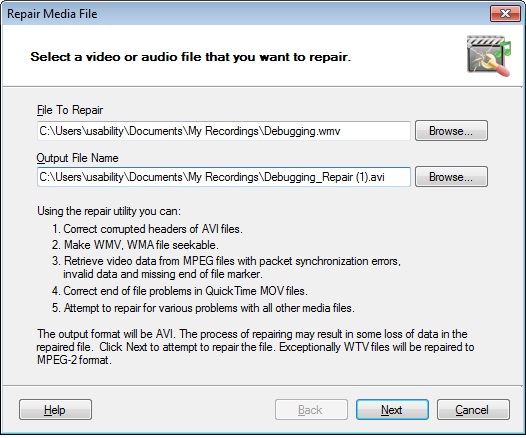
This way the corrupted file will be repaired and you can play it in your media player.
You should be aware that the process of repairing might result in some loss of data in the repaired file.