
Controlling the time between e-mail notifications
-
I have configured WebCam Monitor to send me an e-mail on a motion trigger. When there is continuous motion for a long time, I end up getting more e-mails than I would like. Can I control the time between e-mails sent when there is continuous motion?
-
You can set the time interval between e-mail notifications in WebCam Monitor from the E-mail Notification Settings.
To set the time interval between e-mails, go to the Quick Access panel. Click Configure button for the E-mail notification action. Look for the option 'During continuous motion, time between e-mails'. Choose a higher value for the time interval from the dropdown and click OK to save the settings.
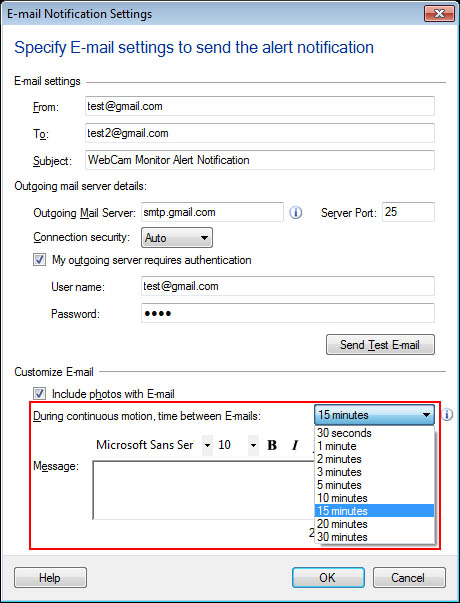
Now whenever there is a continuous motion, WebCam Monitor will wait for the selected time interval and then an e-mail will be sent. This will help you to limit the number of e-mails received.