
Change the date format in WebCam Monitor
-
Is there any way to change the date format displayed on camera preview?
-
The default date format in WebCam Monitor is MMM-DD-YYYY. You can change the date format from the ‘Edit Webcam’ settings.
To change the date format, click File >> Edit WebCam. On the **Labels **tab, click the Configure button for Date and Time stamp label. Then select the required date format from the ‘Date and Time Format’ dropdown list. Click Ok to save the settings.
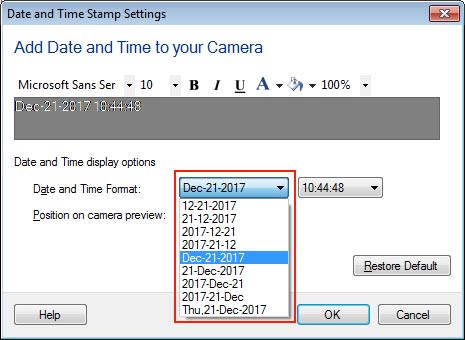
Now the selected date format will appear on the webcam preview.