
View mobile screen on multiple PCs at the same time
-
I want to use Screen Cast for giving a demo of an android application to my students. I want to display my mobile device screen on multiple PCs. Is this possible?
-
Using Screen Cast, you can view your mobile screen on any device that has a browser.
First, open Screen Cast on your mobile device and select the connection type. Then press Start Broadcasting and provide login details to your students required for connection.
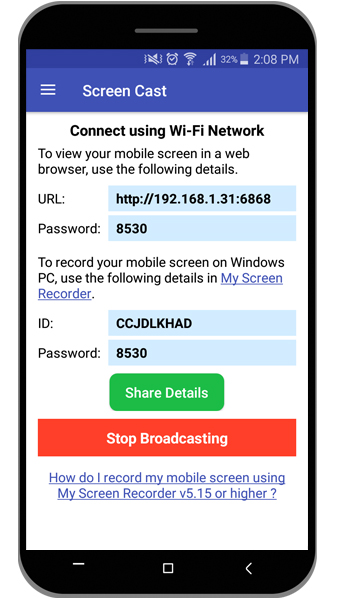
On each PC, open the browser and enter the URL from Screen Cast. Once the connection has been established, you will see your mobile screen on each PC.
This way you can easily give a demo of android application to your students on multiple PCs.
Note: Please make sure all Android mobile devices and PC's are on the same network if you are using a Wi-Fi or Mobile Hotspot connection type.