Applying conflict resolution rules in Auto FTP Manager
-
My friend recommended me Auto FTP Manager to automate a file transfer job I have. I would like to know how Auto FTP Manager will handle the file transfer if the same file is already present on the server.
-
Whenever you transfer a file from source to destination and the file is already present on the destination, then there is a conflict. Auto FTP Manager can resolve such conflicts easily with the help of Conflict Resolution rules.
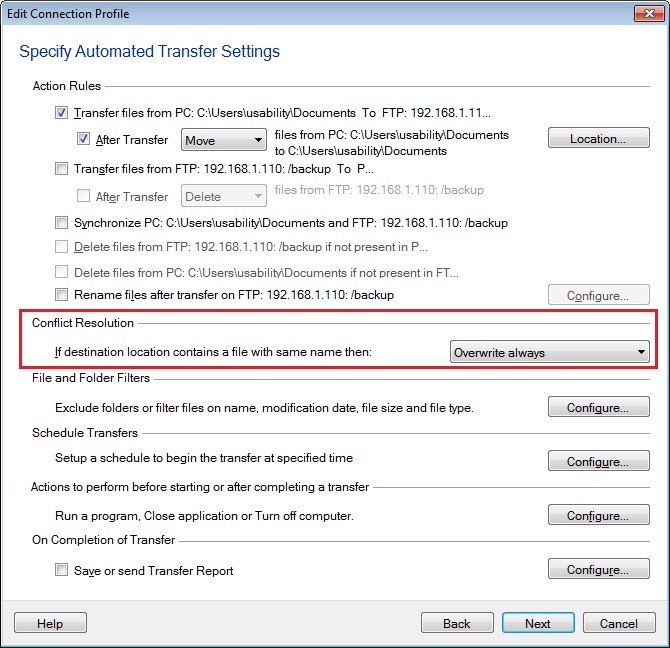
You can set the conflict resolution rules while creating the automated transfer profile.
When creating the connection profile you can find the Conflict Resolution section on the Automated Transfer Settings page. Choose an option from the drop down list. If the file is already present on the server, you can overwrite the file or skip the file transfer. Auto FTP Manager has different conflict resolution options for date, time and size.