
Watch two webcam previews at the same time
-
I have added two cameras in WebCam Monitor, but I can see only one camera at a time on the interface. Is there any way to see both Camera previews at the same time?
-
WebCam Monitor allows you to detach the camera preview window and place it anywhere on the screen.
Once you add all your webcams into WebCam Monitor, right click on the camera preview and select the Detach Camera option from the context menu. Resize the detached window and place it at required location on the PC screen.
To make the detached window always visible, right click on the camera preview and choose the Always on top option. Repeat these steps for the second webcam.
When you detach a preview, the detached window will come to the front and the status message is shown on the camera window within the application.
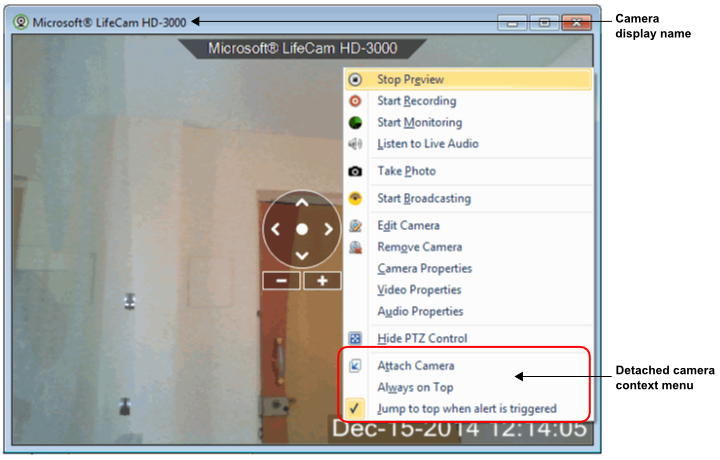
Now, you can watch both webcam previews simultaneously.