
Lock access to the WebCam Monitor application settings
-
I have configured WebCam Monitor to record video from the USB camera set up in a small office. I don’t want any outsider or worker in the office to update anything on the camera settings when I am not there. Is there any way to prevent other users from changing the camera settings?
-
You can use the lock application feature in WebCam Monitor to prevent anyone from making unwanted changes to the application or it's settings.
To configure the application lock option, click on the Settings icon on the toolbar and go to the Security tab. Select the Lock application with password option under the ‘Secure Access’ section. Set the password and click OK to save the changes.
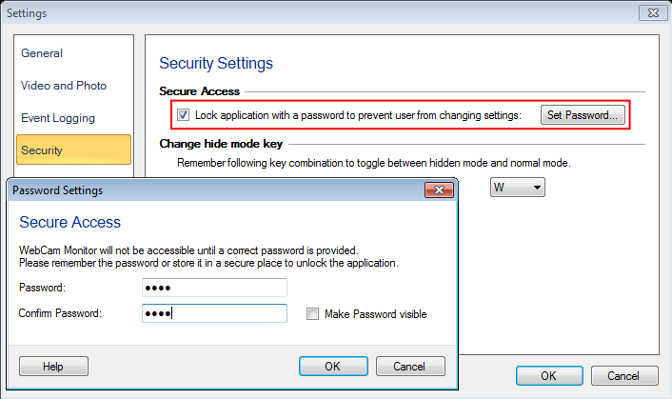
As soon as you click the Ok button on the settings dialog, the application settings will be locked. Only a user with the correct password can access the application.
In this way, no one can change the application function without the password.