
Launch WebCam Monitor in hidden mode on Windows startup
-
I am using your WebCam Monitor software to record and monitor in hidden mode. I want to start it in hidden mode when I start my PC. Can I do this?
-
WebCam Monitor can be launched in hidden mode on Windows startup.
To configure this setting, go to File >> Settings. On the General settings tab, select the Launch WebCam Monitor in Hide Mode when Windows starts option. Click Ok to save the settings.
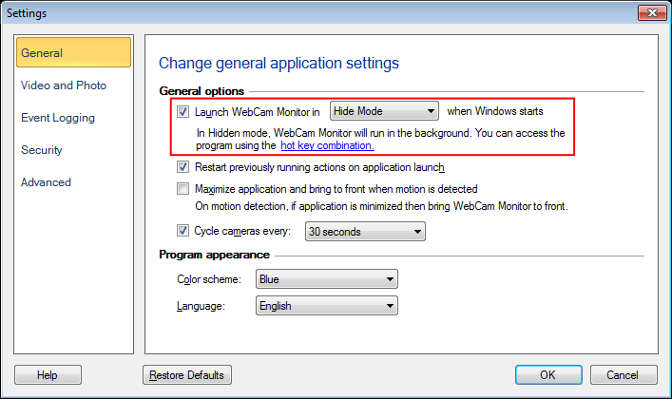
WebCam Monitor will be launched in hidden mode whenever you start the PC. Actions configured for your webcam will be performed in the background. You can access the application using the hotkey combination.