
Detecting motion behind a watermark logo
-
I have configured WebCam Monitor to perform motion monitoring on two webcams and added an watermark logo in the top corner of the camera preview. Please explain if there is a way to still detect motion and keep the watermark logo image.
-
WebCam Monitor allows you to add a label in the form of text, date and time or an image. If you are adding an image label for your watermark logo and still want motion to be detected behind the label, then you can adjust the transparency level. Motion will be detected if transparency level is greater than 60%.
To adjust the image transparency, right click on the camera preview and select the Edit Camera option. On the labels tab, double click on the already added image label. Select the Image Transparency check box and adjust the transparency level by dragging the slider.
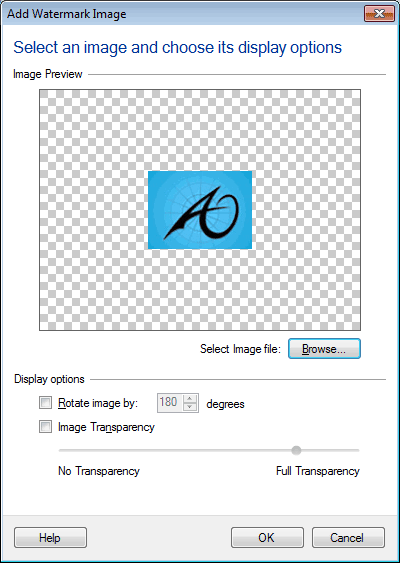
You should keep a higher image transparency value, so that motion will be detected behind the label. Note: Below 60% transparency, motion will not be detected behind the image label.