
Removing the image from email notification
-
I have set up WebCam Monitor to take photos, record video and send Email notifications on a motion trigger event. It is working well, but I don’t want to include the image in the email notification. Can I remove it?
-
You can exclude the photos from the email notifications in WebCam Monitor.
To remove the photos from emails, click on the ‘Configure’ button for the Email Notification action from Quick Access. Uncheck the ‘Include photos with E-mail’ option under the Customize Email section. Save the settings.
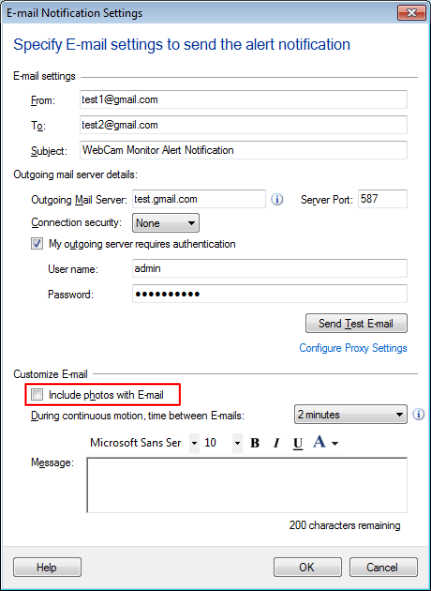
Now, start motion detection monitoring, you will notice that photos are not included in email notifications.
Note: This option is only available for motion detection monitoring. For regular interval monitoring, a photo will always be included.