
Transferring when the file size is different
-
I have a file that is updated irregularly. I want to transfer that file to my FTP when the file size is different than the previous transfer. The file sometimes increases in size and sometimes decreases. Can I do this using Auto FTP Manager?
-
Auto FTP Manager allows you to overwrite the file on the destination if the size has changed.
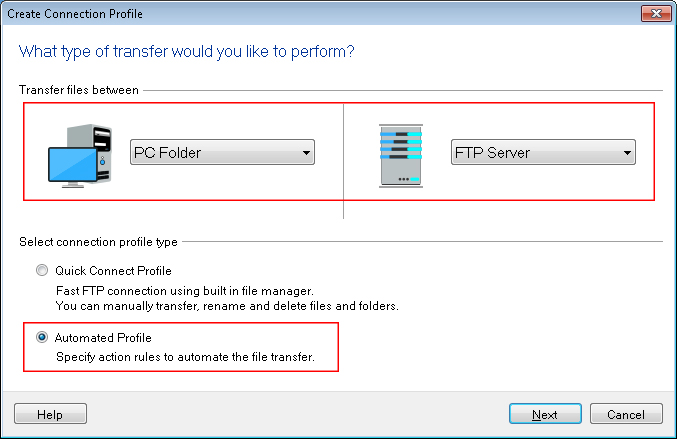
First, you have to create an Automated profile from File >> New Connection Profile. Select connection profile type as Automated Profile.
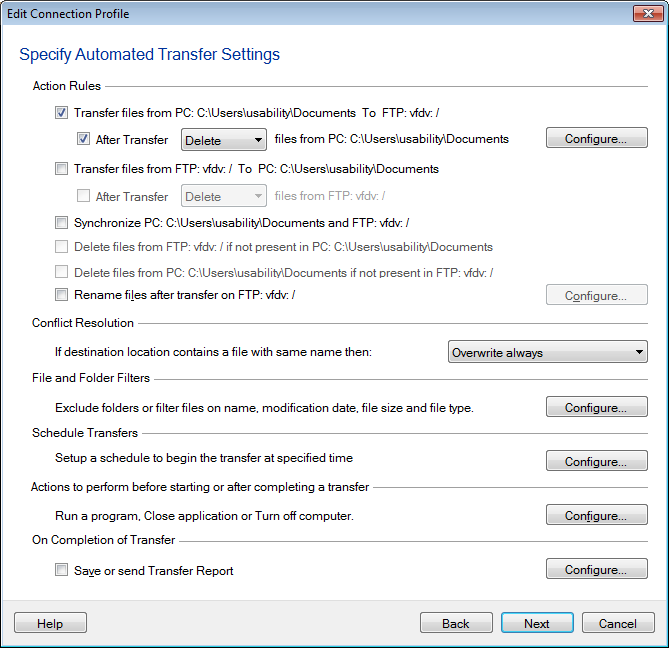
On the next page, enter FTP details such as FTP address, port number, username and password. Navigate to the next page, look for Action rules section and select the transfer actions. Set Conflict resolution to Overwrite if date/size is different. Click Next button, enter profile name and finish the settings.
Now, whenever you will start automated transfer, files on the destination will be replaced with files on the source if the size has changed.