Bring WebCam Monitor to top when motion is detected
-
I am using two USB cameras in WebCam Monitor with motion detection monitoring. While using other applications on my PC, I have WebCam Monitor minimized. Is there any way to bring the minimized window to the top of the screen on motion detection?
-
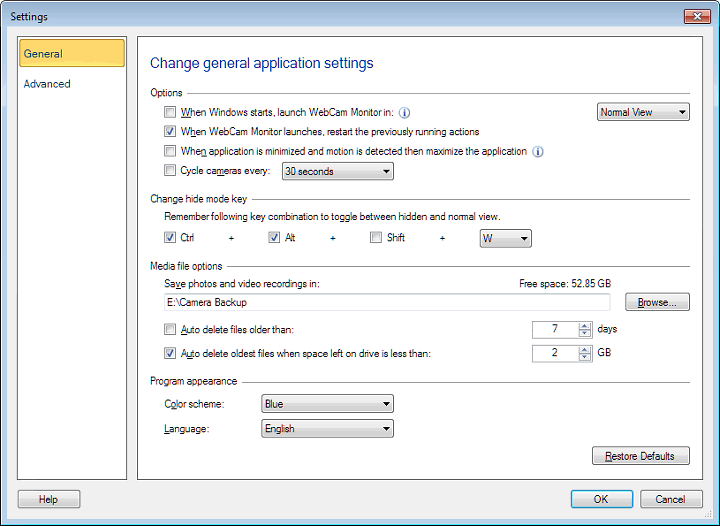
You can configure WebCam Monitor to maximize on motion detection.
From General settings select the option to maximize the application when motion is detected and the application is minimized.
You can also detach the webcam preview windows and minimize it. On motion detection the detached windows will be brought to focus on top of other running applications.