
Keeping a small preview window of my webcam on screen
-
Is there a way to keep just a small window of my webcam preview at the bottom left corner on the screen?
-
Yes, WebCam Monitor allows you to detach a preview window and place it anywhere on the screen.
Here's how:
Add your webcam. Right click on the camera preview and select the ‘Detach Camera’ option. Right click on the detached camera window and select the ‘Always on Top’ option.
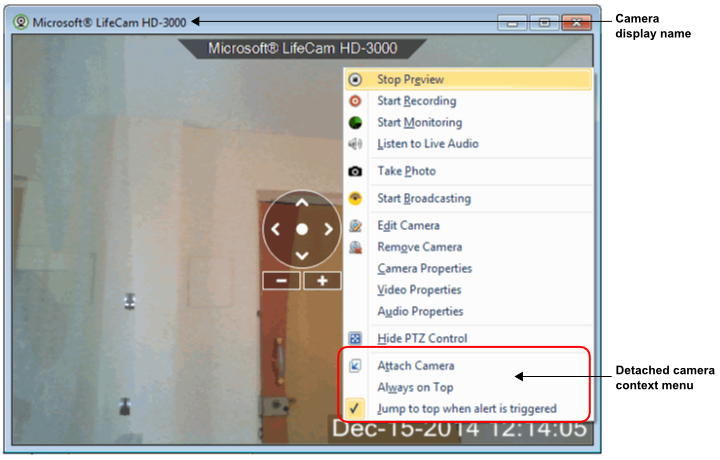
You can resize the window and place it at bottom left corner of the screen.