Transferring files on selected days each week
-
I want to use Auto FTP Manager for downloading files on Monday, Wednesday and Friday. Can you explain how to configure it?
-
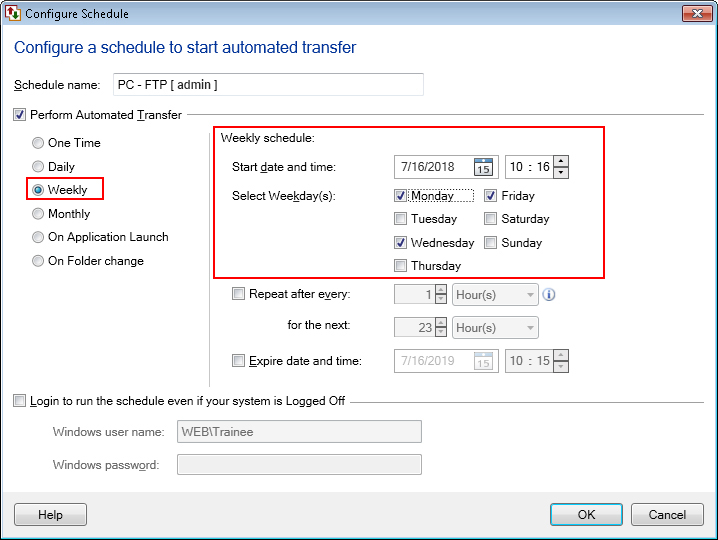
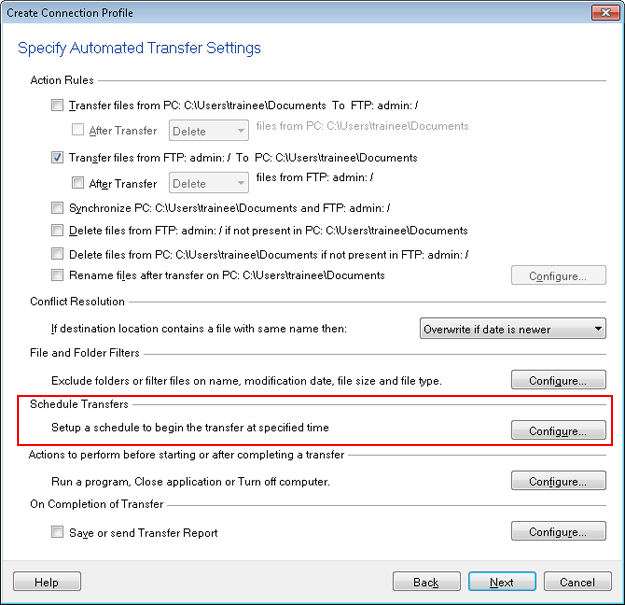
You can use a weekly schedule in Auto FTP Manager. Add a schedule while creating an automated transfer profile. Click on the ‘Configure’ button under the ‘Schedule Transfers’ section.
Choose the ‘Weekly’ schedule option and then select the days on which you want to run the transfer and click OK. The files will be transferred on the specified days.