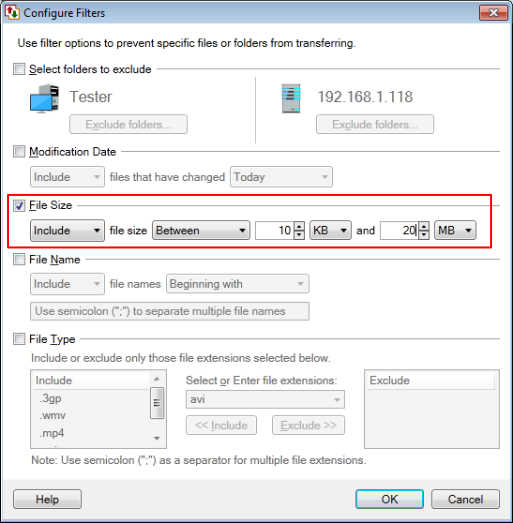
Transferring files within a specific size range
-
I have a question - Can I use Auto FTP Manager to transfer the files which fall within a specific file size range?
-
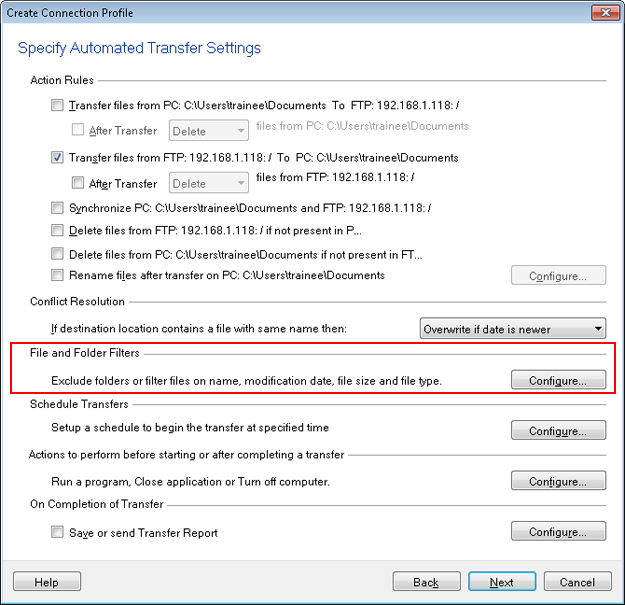
Yes, you can do this using the file size filter in Auto FTP Manager. While creating the automated transfer profile, click on the ‘Configure’ button under the ‘File and Folder Filters’ section.
Select the check box for ‘File Size’ and enter the upper and lower file size values. Click OK button.
Now, the files within the specified range will be transferred.