
Transferring small files during the day and large files at night
-
I am transferring files from a FTP server every day. I would like to do a scheduled download. I want to avoid downloading larger files as I am using a slow internet connection and I don't want to tie up the line for hours. What settings I have to do to avoid the download of larger files?
-
Auto FTP Manager can easily be configured to download files at a scheduled time. Using filters you can also avoid the download of larger files.
To configure the settings, create an Automated Transfer profile, and select the option to transfer from FTP server to PC folder.
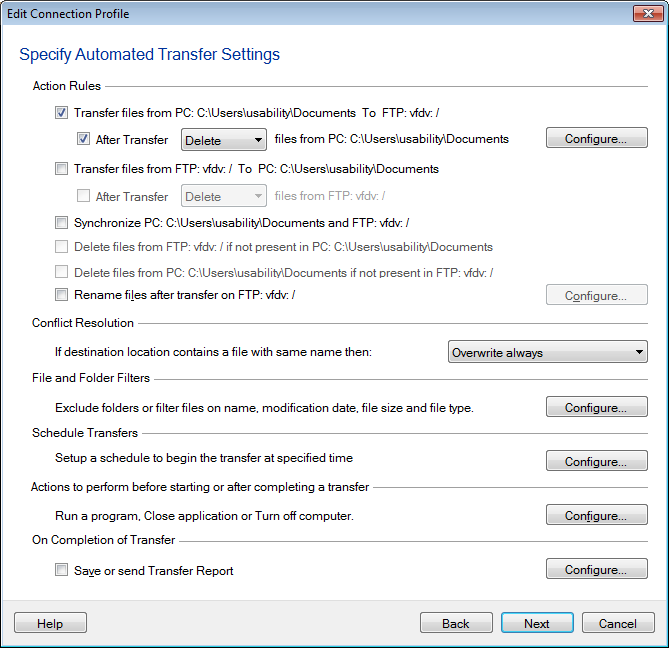
Click on the 'Configure' button under 'Filters' section, then select the second option 'File Size'. Choose 'I would like to Exclude file sizes greater than' and enter the value you need in MB or GB.

Next, click on 'Configure' button under the 'Schedule' section and add a 'Daily' schedule to download files from the server every day.
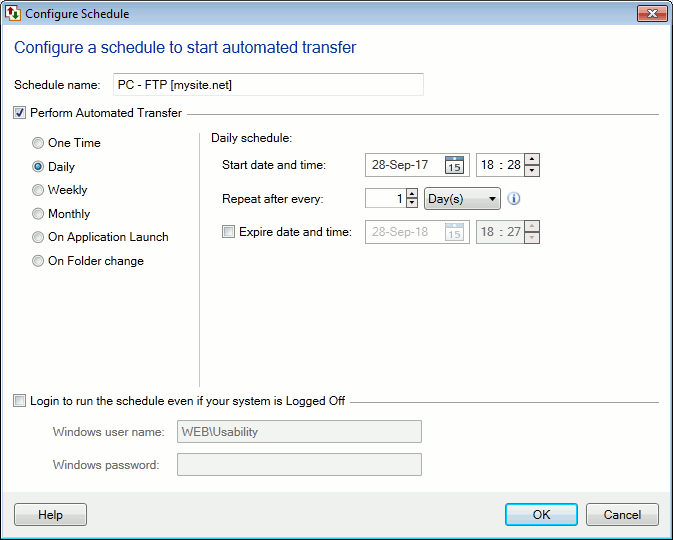
Every day the schedule will run and the files will be downloaded excluding the large files. You can create a second schedule to run at night for transferring the large files.