
Replace old files on the destination if the size of the source file is larger
-
I am using Auto FTP Manager for downloading files from FTP server. I want to replace the files on my local PC only if the same files on the FTP server are larger in size. How can I configure this action rule in Auto FTP Manager?
-
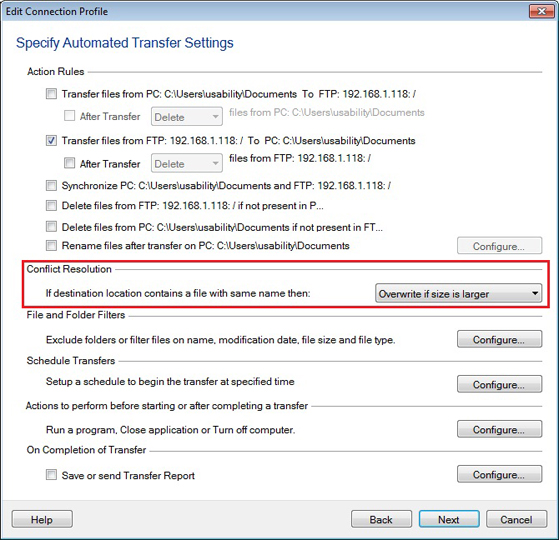
The Conflict Resolution option in Auto FTP Manager allows you to overwrite the files only when the source file size is larger.
To set the Conflict Resolution, right click on the Automated Transfer profile listed in the left side panel and select the ‘Edit Profile’ option. Go to the Automated Transfer Settings page, select the ‘Overwrite if size is larger’ option from the conflict resolution drop down list. Click next and complete the settings.
Right click on the profile name and start the automated transfer. When the size of a file being transferred is larger than the existing file on the local folder, then the smaller file will be replaced by the larger one.