
Transfer just PDF and word documents
-
Can I use Auto FTP Manager to download only PDF files and word documents?
-
Use a filter for the file type in Auto FTP Manager to select just the files you want to transfer.
Select the ‘File Type’ option on Configure Filters dialog. Next, enter .pdf, .doc, and .docx file extensions and click on the ‘Include’ button. Click OK. With this filter only PDF files and word documents will be downloaded.
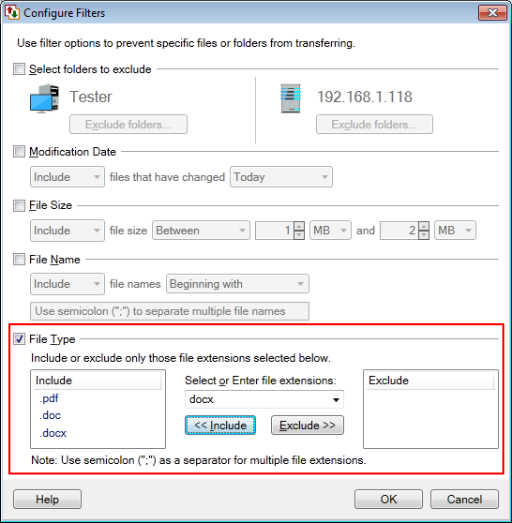
For more details on adding a filter see this link:
https://www.deskshare.com/help/afm/Filters.aspx