
Excluding a folder during an automated transfer
-
I am using Auto FTP Manager to maintain my website. I have many sub folders. My updates occur in almost every sub folder except for a few like the ones containing video and image files. How can I exclude the transfer of these folders?
-
Auto FTP Manager allows you to transfer only selected folders using File and Folder Filters feature.
If you have already created a connection profile then right click on profile and select ‘Edit profile’ option. On Edit Connection Profile dialog, click the 'Configure' button under ‘Files and Folders’ section.
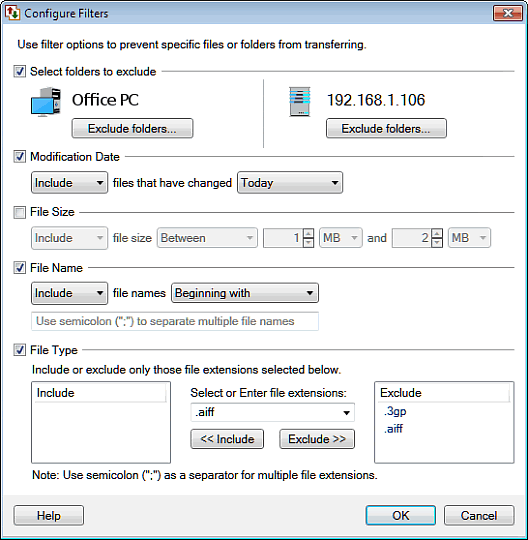
Then check ‘Select the folders to exclude’ option and click on 'Exclude Folders' button to choose the folders you want to exclude from the transfer. Click Ok and finish the settings.
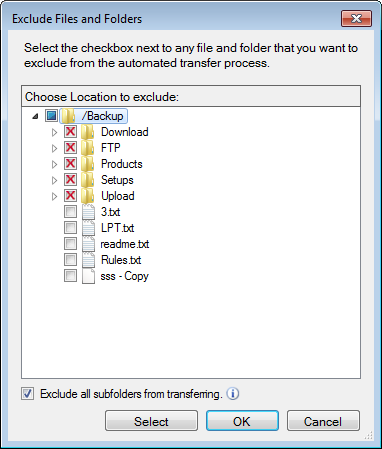
Now, whenever the automated transfer runs the excluded folders will not be transferred.