
Sort transfer log entries to view FTP transfer failures
-
I am new to Auto FTP Manager Software and using it to transfer files with Quick Connect profile. Can you tell me how to view only the error log messages generated in Auto FTP Manager when the transfer has failed or is incomplete?
-
The Transfer Log in Auto FTP Manager provides information about all events. It shows the Date-Time, Event and the Description of the respective event. The log events are divided into following categories: Command, Response, Status and Error.
To view only error events, right click in the Transfer Log where log messages are generated and select Show Error Events option.
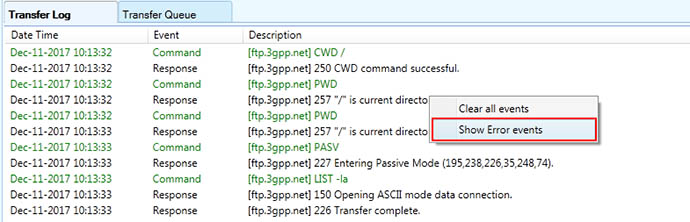
Now the Transfer Log will show only the error events that occurred during the file transfer process or connection.