
Making time stamp super sharp on the webcam image
-
I have added three webcams in WebCam Monitor. Sometimes the time-stamp is not clearly visible because of the camera preview in the background. How do I make it much sharper so it is more visible?
-
You can change the font color or background color for the time-stamp in WebCam Monitor. Go to the Edit camera dialog, move to the labels tab. Right click on the Time stamp and select the ‘Edit’ option.
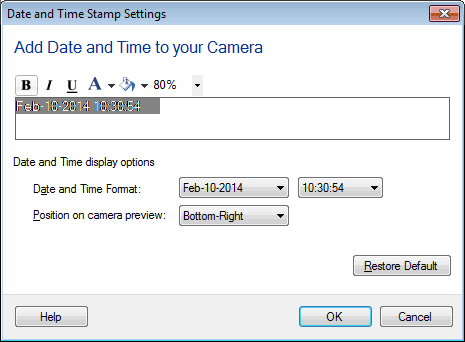
Change the font color and background color using the formatting toolbar options. Make the text bold. Click OK. This will make the date-time label much sharper.