
Capturing webcam images without the date on image
-
WebCam Monitor works well for me for capturing photos from my webcam. I would like to have an image without any label on it.
-
In WebCam Monitor by default the date and time label is shown on camera preview. This label can be removed if not required. From Add/Edit camera dialog go to Labels tab.
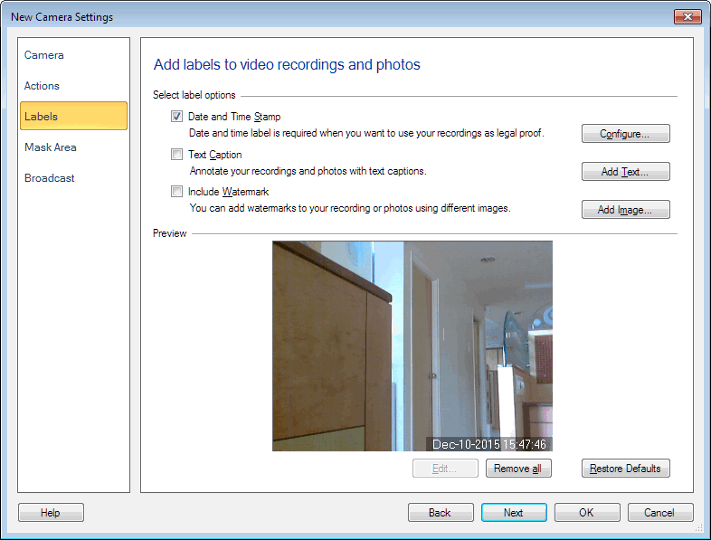
Select the date-time label shown on camera preview, right click on it and select Delete option. Or just uncheck the ‘Date and Time Stamp’ check box and click OK. The label will be removed from camera preview.