
Resizing an image while uploading to my website
-
I want upload images taken from my webcam to my website. I am looking for something that will capture images from my webcam, change the image size to 800x600 and upload it to my website using FTP.
Thanks -
Yes, you can resize images during upload with WebCam Monitor. Connect your webcam to the PC and add it in WebCam Monitor. From Quick Access select the 'Take Photo' and 'Upload Media files' options.
You will need to enter the FTP address, username, password and port number to connect to the FTP server for your website. Next, you will see the following dialog:
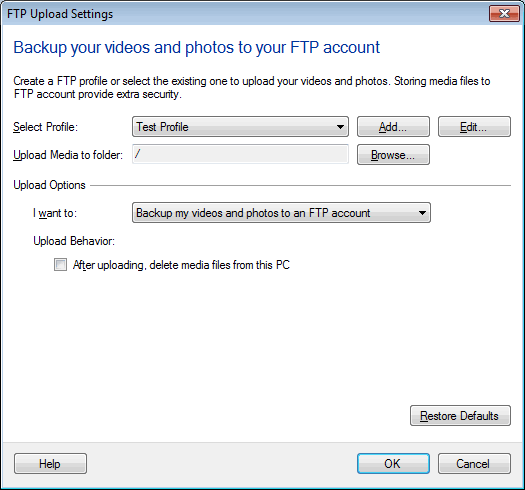
Using the 'Browse' button, you can choose the FTP folder. Select 'Upload photos to my website' option from the drop down.
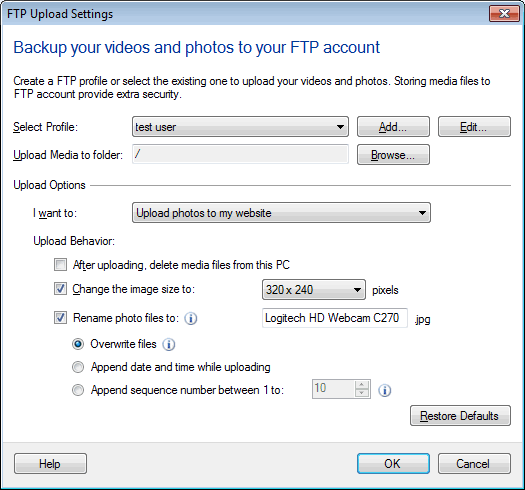
Select the image size(800x600) from 'Change the image size to:' drop down.
Now you can upload images to the FTP server at regular intervals or on motion detection. While uploading, the image will be resized to the dimension you selected.