
Moving files to a different folder after transfer
-
I want to move my files to another folder named 'Completed' after they are transferred. How can I do this?
-
Auto FTP Manager can move your files to a different folder after they are transferred.
Here are the steps:
-
If you have already created an automated transfer profiler then select the profile and go to File >> Edit Profile.
-
On 'Specify Automated Transfer Settings' dialog, select the action rule "After transfer move files from [Source] to [Folder You Select]"
-
Select your destination folder using the "Location..." button
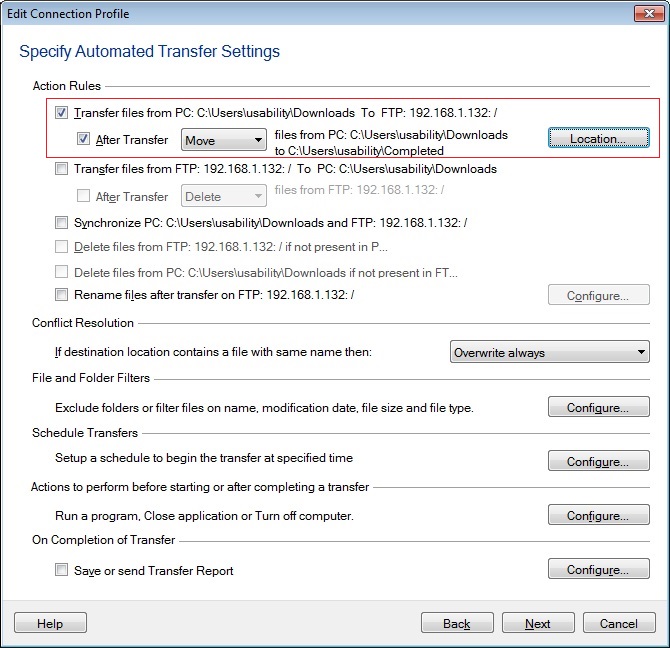
As each file is successfully transferred, it will be moved from the source folder to the folder you have selected. Your files will be removed from the source folder.
-