Select the position to start reading an e-book
-
Is it possible to configure Text Speaker to start reading from any text location? It always starts from the first line after clicking on the Speak button.
-
Text Speaker can begin reading from any cursor position.
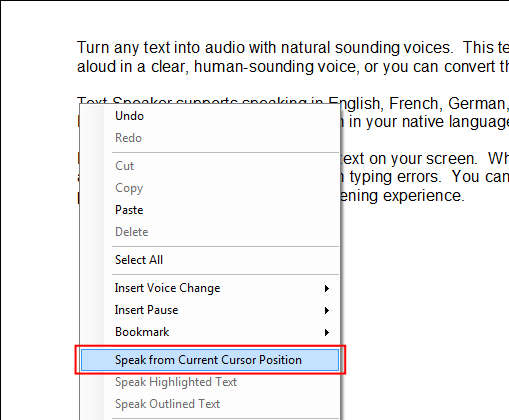
To start reading at a specific location, load your file into Text Speaker. Place the cursor at the desired location before pressing the read icon. Go to the Speak menu and select the Speak from current cursor position option.
Another method to start reading from any text position is to use the right-click context menu. When your cursor is in position, Right Click >> Speak from current cursor position. Reading will begin at the cursor position.