
Record video from all IP cameras simultaneously for 1 hour
-
Can I setup Security Monitor Pro to record the videos from all my IP cameras simultaneously at 9AM for an hour?
-
You can use the Scheduler in Security Monitor Pro to start video recording and run it for the required number of hours.
To configure a schedule, go to Tools >> Scheduler. Select all the IP cameras and choose the Video Recording action. Next, select the schedule type and enter the start date along with the time. Set the Run For option to the duration for which you want to record the video.
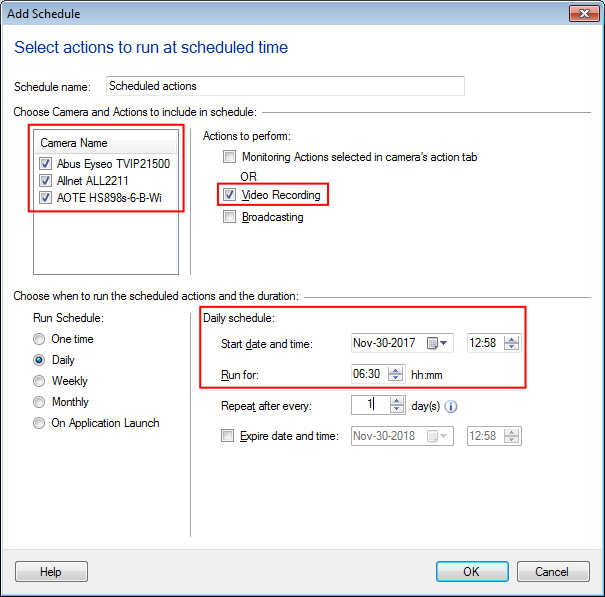
The Video Recording will start at the scheduled time for all IP cameras simultaneously and will be performed for the selected duration.