Record and automatically save the video playing on my PC screen
-
I want to record videos playing on my PC screen. As I know the exact duration of the video files to be played, I would like to know if I can set My Screen Recorder Pro to record for the entire video duration and save the file when the video ends.
Thanks…. -
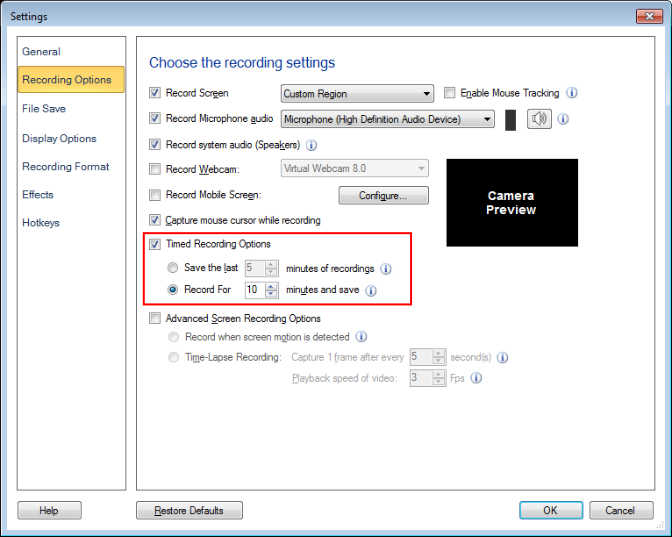
My Screen Recorder Pro has a Timed Recording feature to record for a specified duration and then save the file automatically.
To perform this operation, go to the settings and configure the Timed Recording Option to Record for N minutes and save. N specifies the length of the video in minutes. You can also configure this option before starting the screen recording. Please make sure you add the correct duration every time you want to record the video played on the screen.