
Only allow a single user to view the broadcast stream
-
I want to use Security Monitor Pro for broadcasting my camera so I can watch it from a remote location. Is there any setting to allow only a single user to view the broadcast video stream?
-
Broadcasting lets other users watch a live preview of your camera from a remote location. Security Monitor Pro has a setting that allows you to limit the number of viewers.
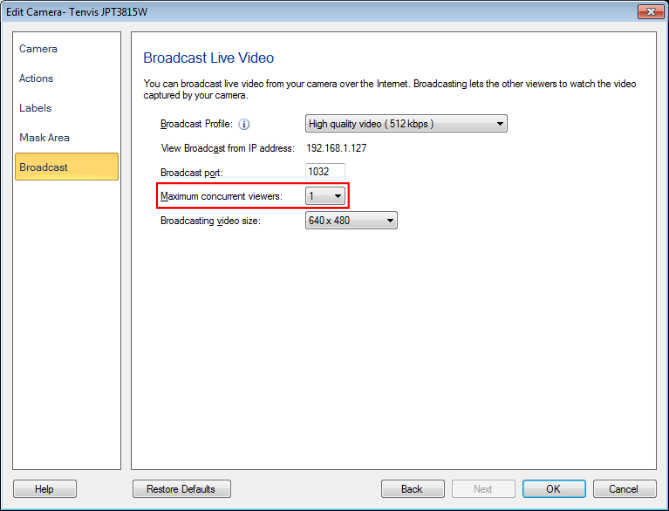
To configure the broadcast settings, right click on the camera preview and select the Edit Camera option. On the Broadcast tab, look for the Maximum concurrent viewers option and select 1 from the drop down. This specifies the number of users that can simultaneously view the video broadcast from Security Monitor Pro. Click Ok to save your settings.
After configuring the Broadcast settings, right click on the camera preview and select the Start Broadcasting option. When broadcasting starts, the broadcast URL will be listed in the event log.
To see the broadcast stream from another PC, open the broadcast URL shown in the event log using VLC or Windows Media Player. If you have selected value 1 for the maximum concurrent users, then only a single user will be allowed to watch the broadcast video.
You can also transmit a live broadcast from one or a set of cameras and configure settings individually.