
Make Security Monitor Pro pop up on motion detection
-
I have Security Monitor Pro running minimized on my PC. I would like to have it pop up on my screen if any motion trigger event occurs while I am working. Please explain how to do this when I have minimized the application.
-
You can configure Security Monitor Pro to maximize and bring the application window to the front when a motion detection event occurs.
To do this, click on the Settings icon from the tool bar. In the General settings, select the option ‘Maximize the application and bring to front when motion is detected’. Apply the settings by clicking on OK button.
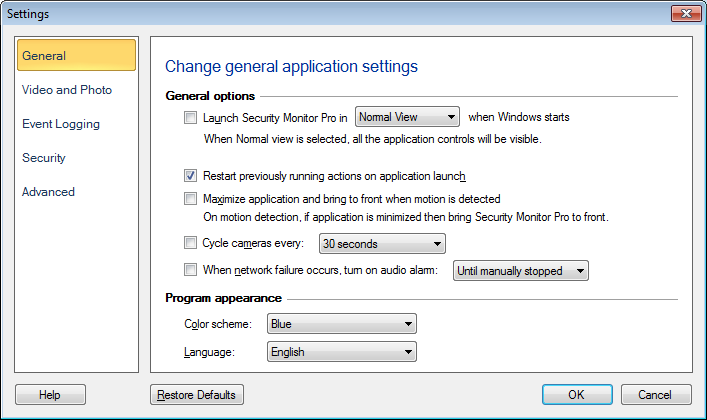
Now, when you have the application minimized and motion is detected, Security Monitor Pro will be maximized and will be brought to the front of all other windows.