Mute the audio during screen recording
-
I would like to use My Screen Recorder Pro for creating video tutorials. While recording the screen, there are times that I don’t want to include audio from my microphone. Can I mute the audio while recording my PC screen?
-
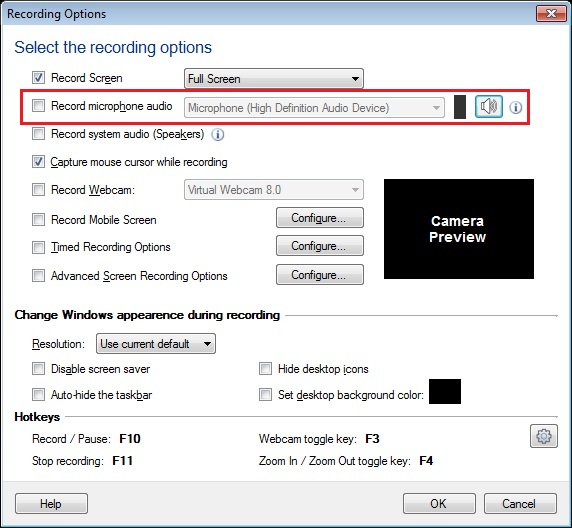
You can disable audio recording in My Screen Recorder Pro and record just video.
To start recording, when you click on Record icon from toolbar, do not check the option to 'Record microphone audio'. Start creating screen recordings and note that audio will not be recorded. You can also configure this from Settings >> Recording Options.