Turning off the word highlighting in Text Speaker
-
When Text Speaker is reading a book to me, I can see the words highlighted as they are read. How do I turn this off?
-
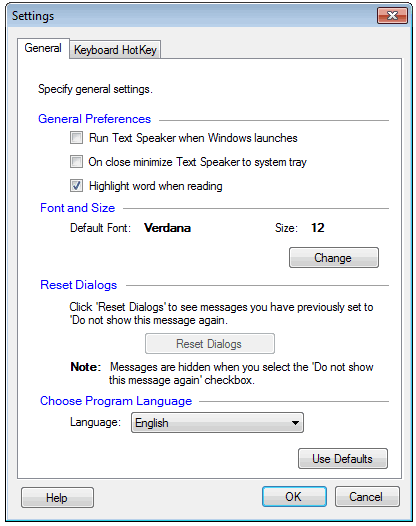
The default setting is to highlight words as they are spoken by Text Speaker.
You can disable the highlighting option from the settings. Open the Settings dialog and uncheck the ‘Highlight words when reading’ option, then the click Ok button.
Start reading the text document. Notice the text is no longer highlighted.