Take a photo from IP camera, resize it, then FTP upload
-
Does Security Monitor Pro allow adjusting the photo size before uploading it to FTP? I am looking for software that will capture images, resize it and then upload it to FTP server.
-
With Security Monitor Pro you can adjust the image size before uploading it to the FTP server.
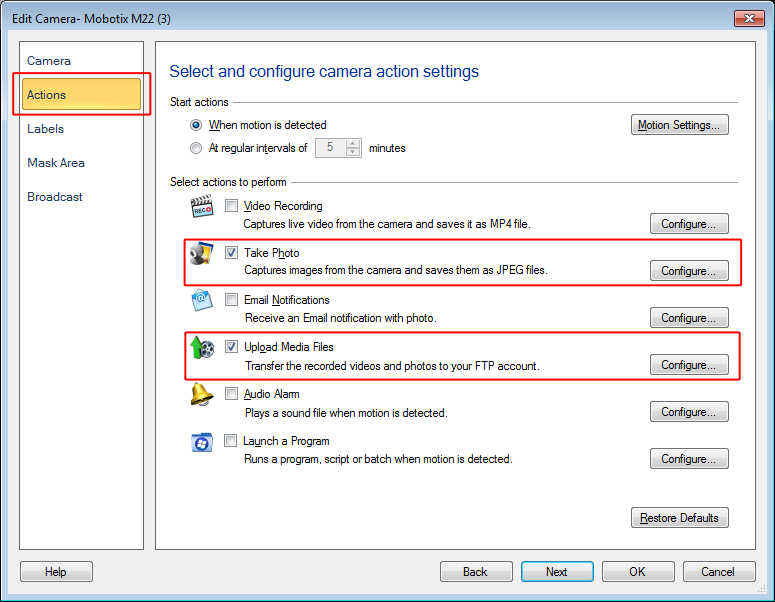
Open 'Manage Cameras' dialog from the tool bar. Select the camera you want to edit and click the 'Edit Camera' button. On Actions tab, check ‘Take Photo’, and ‘Upload Media File’ actions.
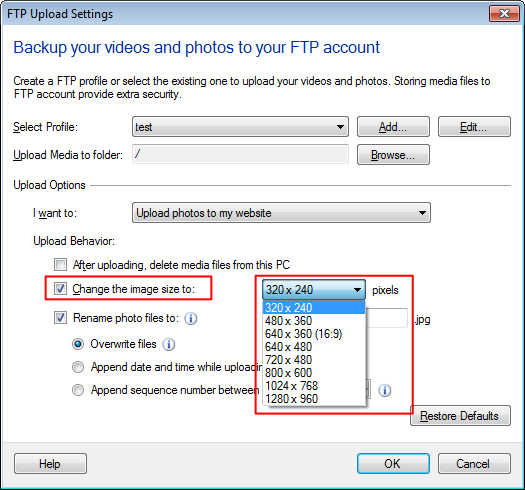
On the FTP upload settings dialog, choose the FTP account and select the upload option as 'Upload photos to my website'. Then select the image size to upload.
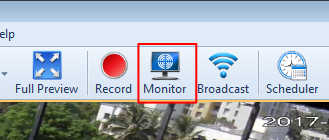
Start monitoring by selecting 'Monitor' option on the tool bar. Photos will be captured, resized and uploaded to the FTP server.