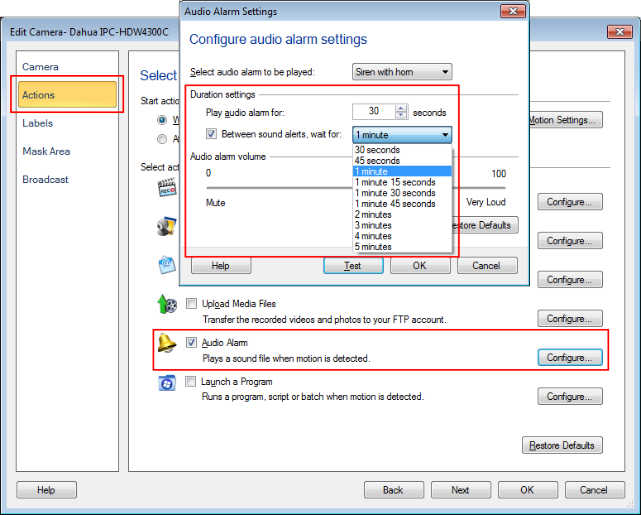
Setting a wait time between audio alarms
-
I have an audio alarm for my backyard camera. The alarm sounds when motion is detected, it completes and then starts again immediately. Is there any way to make the alarm ring only once for the motion event?
-
Security Monitor Pro allows you to add a delay between successive audio alarm events.
To add a delay, select 'Manage camera' from the tool bar, then choose the camera and click on 'Edit Camera'. On the Actions tab, look for Audio Alarm Action and click on Configure button. Check the option for setting the wait interval between audio alarm events. Change the wait interval value from the drop down list to a maximum of 5 minutes. Once the wait interval is over it will invoke the alarm only if motion is detected.