Keeping scheduled screen recordings in a separate folder
-
I am using the pro version to create screen recordings of an online show. I want to create the scheduled recordings and keep those in a separate folder location. Can I do this?
-
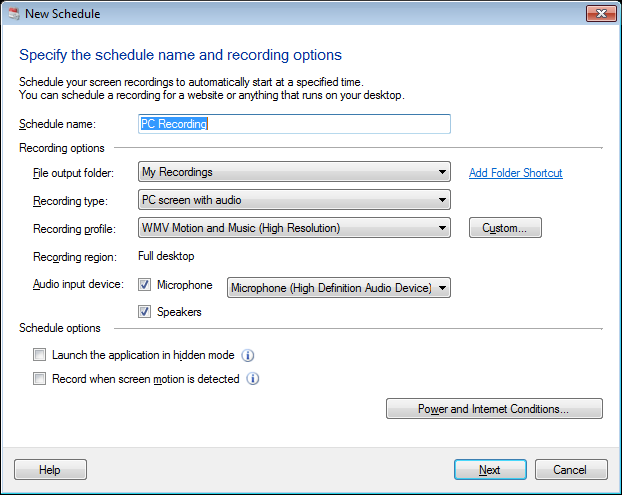
My Screen Recorder Pro allows you to select a folder to save the recordings created on schedules.
To add a schedule, click on Schedule icon on the toolbar. When you create a schedule, you can select the output folder location or add a new folder shortcut.
The screen recording created on a schedule will be saved in your selected folder.