
Changing the mouse pointer while recording the screen
-
I am using My Screen Recorder Pro for creating instructional videos. I would like to have different mouse pointer in the recording. Can I do this?
-
Yes, you can select a different mouse pointer in My Screen Recorder Pro. Go to the ‘Effects’ menu and select the ‘Mouse Pointer Image’ option.
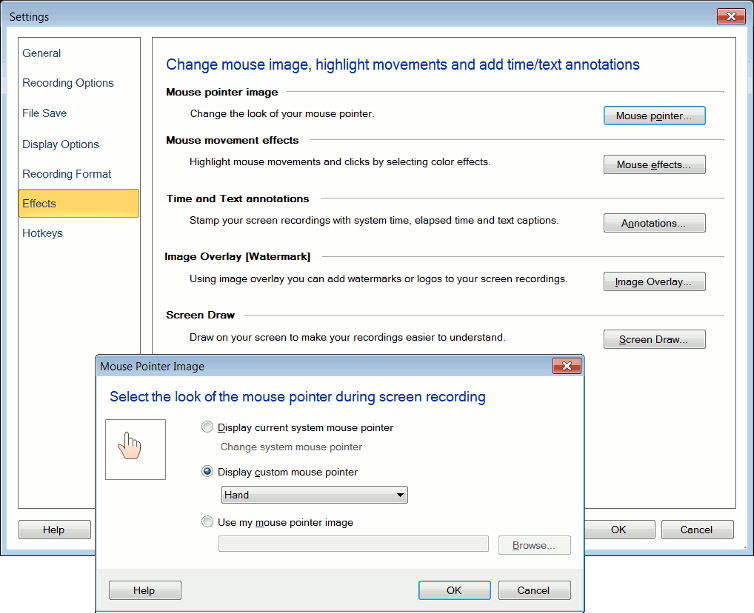
Change the system mouse pointer or select a custom mouse pointer from the drop down. You can also select your own mouse pointer using the browse button.
When you perform screen recording, you will see your selected mouse pointer in the recorded file.