
Taking pictures from previously recorded IP cam videos
-
I have video recordings from my IP cameras that were captured by Security Monitor Pro. I want to save snapshots from the recorded videos. Can I do this in Security Monitor Pro?
-
Security Monitor Pro allows you to take snapshots from recorded videos.
To take snapshots, open 'Media Analyzer' from tool bar. Select the camera for which you have recorded the videos.
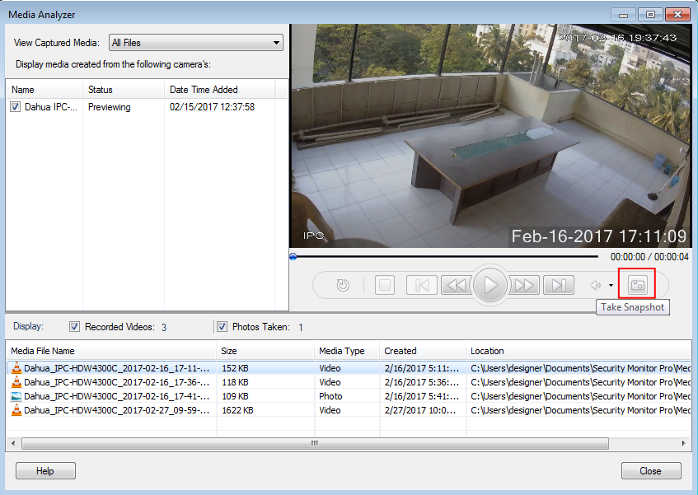
Now select and start playing the recorded video from the list. Click on the 'Take Snapshot' icon to save an image of the running video. This image file will be saved and would be reflected in the list view.