
Adjusting the audio quality in Text Speaker
-
I want to convert text files to audio files. I would like to know if I can adjust the quality for audio files generated using Text Speaker.
-
Yes, you can adjust the audio quality of the text to speech audio files generated by Text Speaker.
Once you have your text file ready, click on the ‘Convert To Audio’ option on the tool bar. You will see the following window:
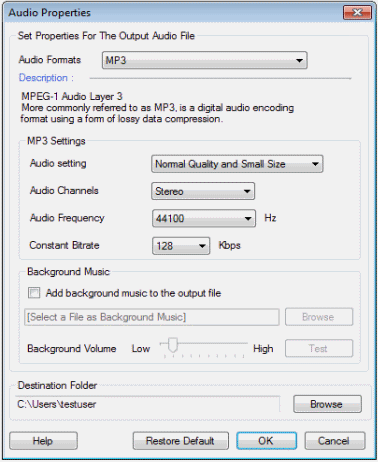
Select the value for the audio quality from the drop down list. You can also set the values for audio frequency and bit rate. Generally, a higher bit rate will produce better quality.
For more details see this link:
https://www.deskshare.com/help/ts/SpeakingTextToFile.aspx