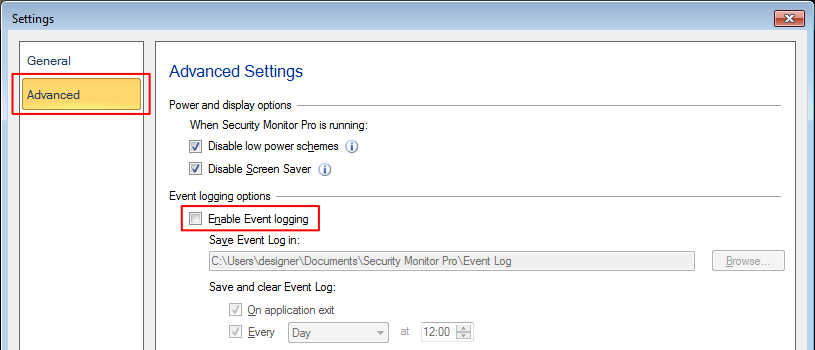
Turning off the event logs in Security Monitor Pro
-
I have added my four IP cameras to Security Monitor Pro, and all are working well. I want to disable the log entries that are generated in the application. Please tell me how to do so.
-
Security Monitor Pro provides detailed event logs which gives information about all occurring incidents. You can save and review the event logs later. You can also disable the event log entries from the settings.
Click on the 'Settings' icon on tool bar. On Advanced settings tab, uncheck the ‘Enable Event Logging’ checkbox. This will disable the creation of new log entries for added cameras.