Rotating through IP camera previews
-
I have three IP cameras in use in Security Monitor Pro. Can I keep one camera preview on the single camera layout for a few seconds and then move to the next camera preview?
-
Security Monitor Pro can show the camera preview in Cyclic order.
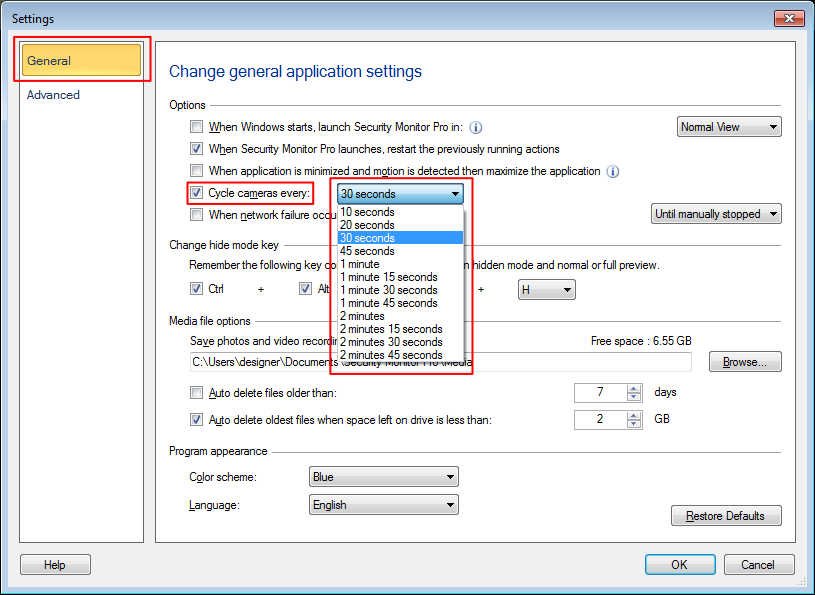
To apply this settings, go to the ‘View’ menu and select the ‘Cycle Cameras’ option. This will move the preview to next camera after 30 seconds.
To change the cycling rate, click on 'Settings' option from tool bar. On General settings, look for 'Cycle cameras every' option and choose the time interval to wait on a camera preview.