Hiding Security Monitor Pro from the desktop
-
Is it possible to keep Security Monitor Pro hidden so that no one can see it running on my desktop?
-
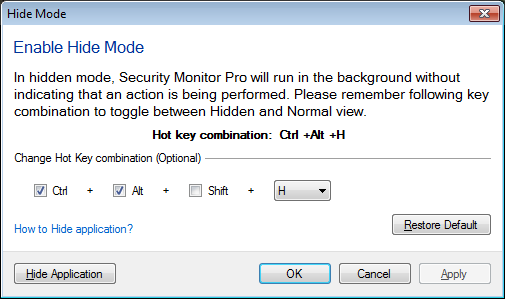
You can hide Security Monitor Pro from the PC screen and keep it running in the background.
Go to the File menu and select ‘Enable Hide Mode’ option. Use the key combination to switch the application between normal and hidden mode. You can also update the key combination.
In hidden mode, application will not be visible, but it will perform all the configured actions in background.