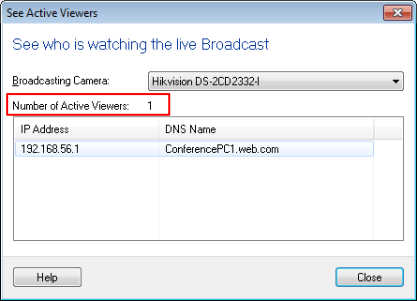
How many people are watching the broadcast stream?
-
Security Monitor Pro is running fine for my IP cameras. I am using broadcasting feature to stream the feeds of my IP cameras. I would like to know if there is any way I can see the number of viewers watching the broadcast stream?
-
Broadcasting action allows users to connect to the PC running Security Monitor Pro and view live video feed.
To check the number of viewers watching the broadcast, first click 'Broadcast' icon from tool bar, select the broadcasting camera and then click on the 'See who is viewing' link.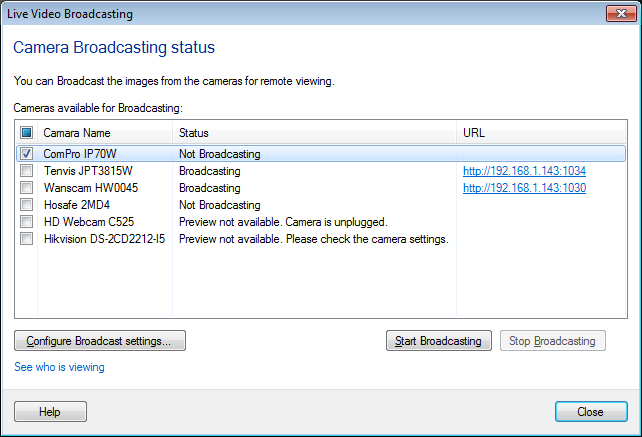
The 'See Active Viewers' dialog shows the number of viewers watching the broadcast stream for the selected camera. Also it will show the IP address and domain name of the viewing user.