
Preparing audio file for key points in an eBook
-
I am using Text Speaker to read eBooks. While reading I would like to mark key points and create an audio file for key points in the book. How can I achieve this using Text Speaker?
-
With Text Speaker you can highlight the key points.
Here's how:
Select the text from the eBook, navigate to Edit menu and select the ‘Outline Area’ option.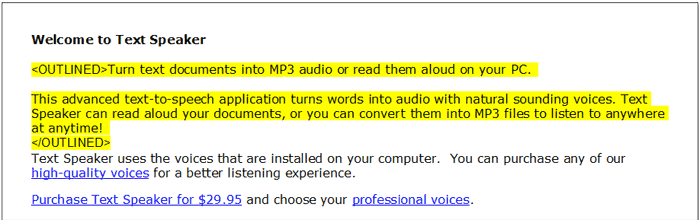
To convert only the outlined text to an audio file, go to the ‘Speak’ menu and select ‘Convert Outlined Text’ option.