
Adding background music in a text to mp3 conversion
-
I am creating an audio book. Is there a way to add some light background music to my book?
-
Text Speaker can add background music to your mp3 audio book.
While converting a text file to mp3 audio, select the ‘Add background music to the output file’ option on the Audio Properties dialog.
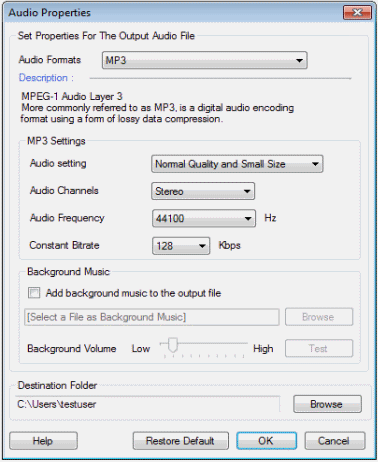
Choose your background music file with the help of the ‘Browse’ button. Adjust the volume and click on ‘Test’ to check the file. Complete the conversion, and enjoy the background music on your audio book.