
Recording just the left half of the screen
-
I am searching for a screen recorder that allows me to record just the left half part of my screen and ignore the rest of the screen window. Can My Screen Recorder do this for me?
-
To record only half of the screen, you can use the Custom region recording in My Screen Recorder.
Click on the ‘Record’ icon on the toolbar. Select the ‘Custom Region’ option from the ‘Record Screen’ drop down and click OK.
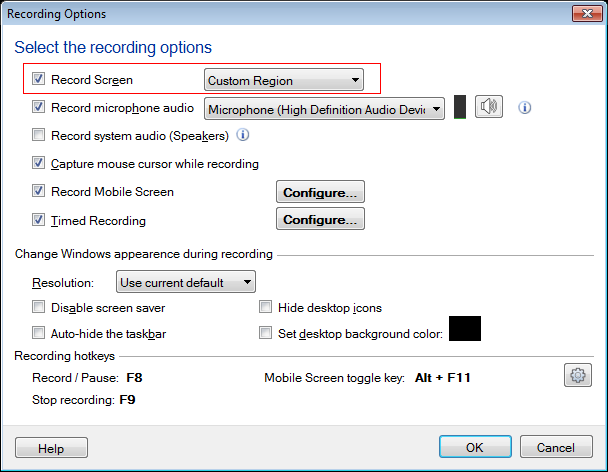
You will see a crosshair mouse pointer. Select the half part of the screen you want to record by clicking and dragging the crosshair.