
Generating a unique voice using Text Speaker
-
I am using Text Speaker with one of the AT&T voices and it is working well. I have only a single AT&T voice. Can I make some adjustment for the AT&T voice and have a unique voice which will be different from the original voice?
-
You can adjust the voice pitch, speed and volume in Text Speaker.
Do these adjustments from ‘Voice Options’ dialog.
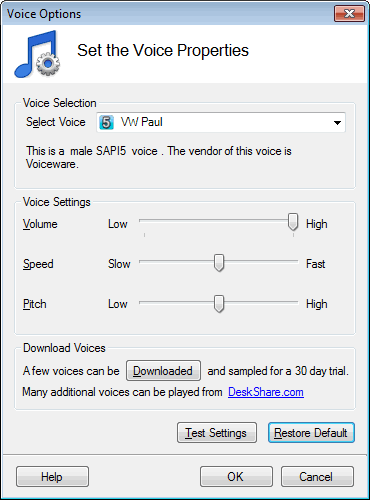
Before applying the changes click on the ‘Test Settings’ button to listen to the voice. By using ‘Restore Defaults’ button you can revert the changes you made.