
Turning off automatic recording on application launch
-
I have recently purchased Security Monitor Pro. I have set it for continuous video recording. Every time I launch the application, the recording starts automatically. Is there any setting to start or stop this in the program?
-
Security Monitor Pro has a default option to restart previously running actions on application launch.
To stop previously running actions, click Settings icon from the tool bar and uncheck "Restart previously running actions on application launch" option. You can also stop the actions manually before closing the application.
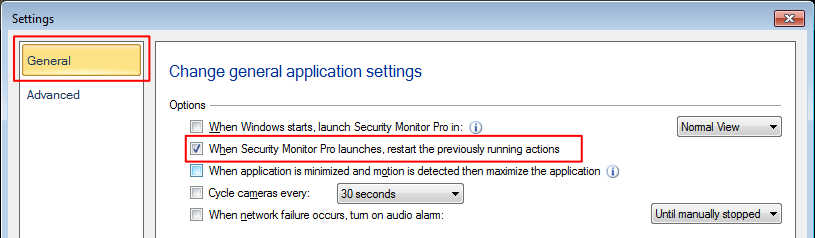
This option will prevent the previous running actions to restart on application launch.