Two different schedules and alerts for a single IP camera
-
I want to capture photos from my IP camera and perform video recording too. I don’t want to run both actions at the same time. For example, can I take photos during the day and perform video recording at night for the same camera?
-
The way to accomplish this in Security Monitor Pro is by adding two schedules.
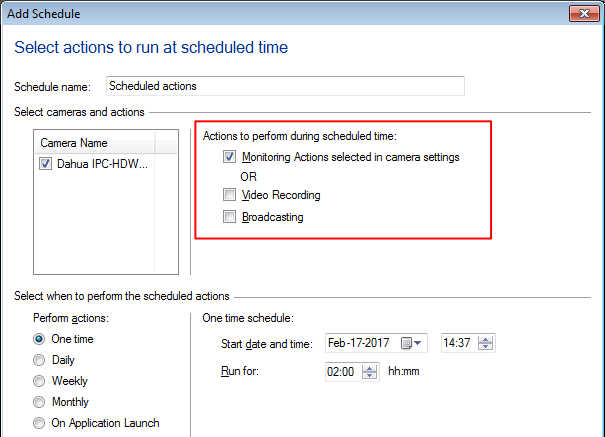
For the first schedule, select the ‘Monitoring Actions selected in camera settings’ option on the ‘Add Schedule’ dialog.
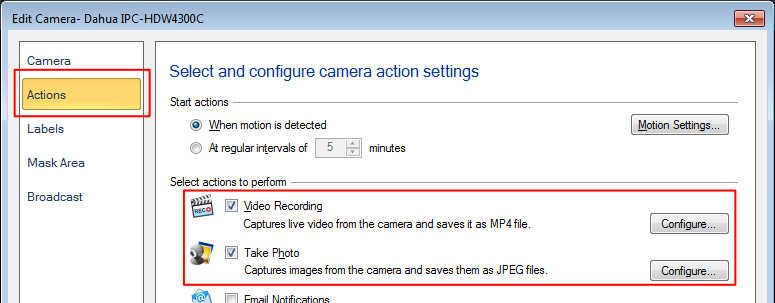
Make sure you have selected the ‘Take Photos’ action from the actions tab on the Add/Edit camera window. The video recording action is selected by default, uncheck it.
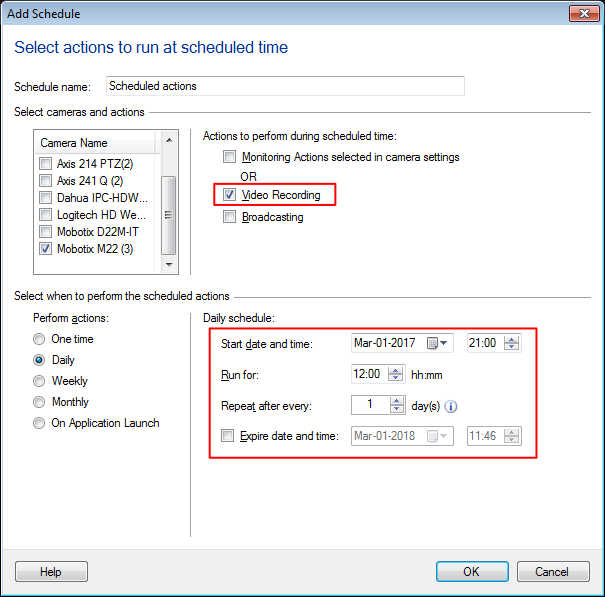
For the second schedule, select the ‘Video Recording’ action from the ‘Add Schedule’ dialog. While adding the schedule, enter the start date and time, and the number of hours to run the schedule.