
Reviewing IP camera recordings within a specific date range
-
There is lot of video and photo files are getting generated from my four IP cameras using Security Monitor Pro. While reviewing the captured videos, can I choose the video files within specific date range?
-
In Security Monitor Pro, you can have a quick review of all the media files recorded within a custom date range with the help of Media Analyzer.
To filter the video list, open Media analyzer from the tool bar. Select Custom Date Range option from 'View captured media' dropdown and enter the desired date range. The videos of specified date range will be seen in the list view.
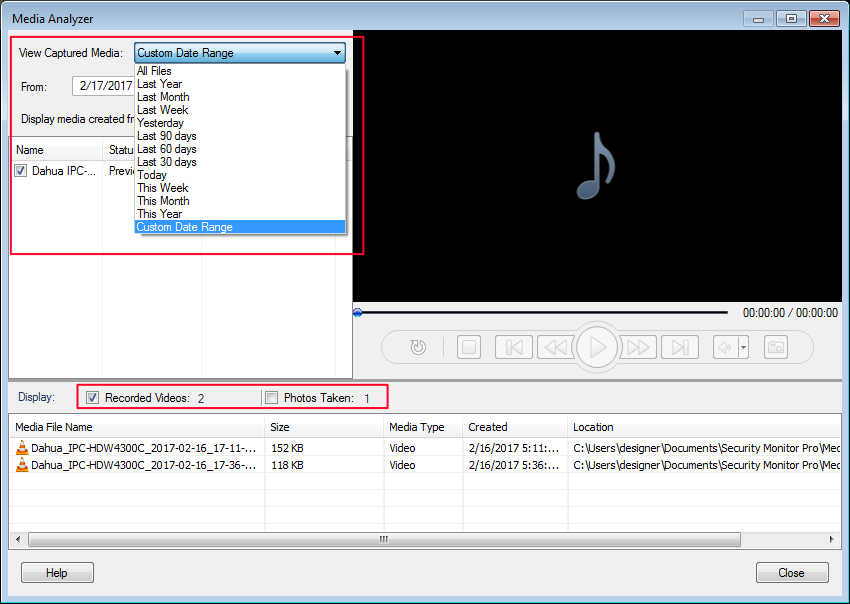
You can also uncheck the ‘Photos Taken’ check box, if you want to review videos only. That will exclude all the photos from the list.